Compare 12 leading automated client reporting tools for agencies. Find the right platform to save time, reduce errors, and deliver stunning reports.
Leading platforms for agencies to create automated client reports include Analify, AgencyAnalytics, and DashThis. These tools can save agencies significant time by connecting data sources, automating data collection, and generating white-labeled reports with customizable dashboards.
But let's be real. If you've ever felt that soul-crushing feeling of spending a Sunday night wrestling with spreadsheets and screenshots just to prove your worth to a client, you're in the right place. We get it. Manual reporting is a time vampire.
In fact, according to data cited by Cloudways, it can take 3-5 hours on average to complete one client report manually. Now, let that sink in. If you have 10 clients, that's 30 to 50 hours of valuable time snatched away every single month—time you could be spending on strategy, optimization, or, you know, having a life.
This guide is your way out. We're breaking down 12 top automated reporting tools, comparing their features and pricing models, and giving you a clear framework to choose the perfect solution for your agency. Let's get that time back.
What is Automated Client Reporting?
Okay, before we dive into the tools, let's make sure we're all on the same page.
Automated client reporting is the process of using software to automatically gather data from various marketing channels (like Meta, Google Ads, and analytics platforms), compile it into a visual report, and schedule its delivery to clients without manual intervention.
Think of it as the difference between hand-cranking a Model T and using a streamlined, software-driven process.
Manual reporting is the old way: exporting CSVs, taking screenshots of dashboards, and pasting everything into a clunky PowerPoint. It's tedious, prone to human error, and frankly, a poor use of your brilliant marketing brain.
Automated reporting, on the other hand, connects directly to your data sources, pulls the latest numbers automatically, and presents them in beautiful, easy-to-understand dashboards or scheduled PDF reports.
According to a study from Swydo, marketers report spending 24% of their data-related time just collecting data and another 22% analyzing it. Automation gives you nearly half your week back by handling the collection, letting you focus on the insights that truly matter.
How to Choose the Right Automated Reporting Tool
With so many options out there, how do you even begin to choose? Picking a reporting tool can feel a bit like speed-dating—everyone looks good on the surface, but you need to know what to ask to find "the one." Don't worry, we've got your back.
Our Methodology: We evaluated these tools based on the criteria that matter most to modern agencies. We looked at the quality of their integrations, robust automation capabilities, white-labeling options, the inclusion of AI-powered insights, overall pricing, and real-world user reviews from G2 and Capterra.
Here are the key features you should be looking for:
- Integrations: How many data sources can it connect to? More importantly, does it have deep, reliable integrations with the platforms you use most (looking at you, Meta and Google)?
- White-Labeling & Customization: Can you add your logo? Can you customize dashboards to match your client's branding and highlight the KPIs they care about? A good client reporting dashboard should feel like it was built by you, for them.
- Automation & Scheduling: This is the whole point! The tool should be able to automatically refresh data and email reports to clients on a set schedule (daily, weekly, monthly).
- AI-Powered Insights: This is the new frontier. Does the tool just show you charts, or does it help you understand them? Look for features that analyze performance, spot trends, and offer actionable recommendations.
- User Interface (UI) & Ease of Use: You shouldn't need a data science degree to build a report. The platform should be intuitive for everyone on your team, not just the analytics nerds.
- Pricing Model: Is it priced per user, per client, or per dashboard? Make sure the model scales with your agency's growth, not against it. Pro Tip: Before committing to a tool, run a pilot program. Choose one tech-savvy, friendly client and build their next report using your top contender's free trial. This real-world test is the best way to evaluate ease of use and see if the final product truly wows.
Analify AI — شاشة الـ media buyer مجاناً
بطّل تخمين أرقام الربح.
وصّل Shopify وMeta وTikTok وBosta في 5 دقايق.
ابدأ مجاناً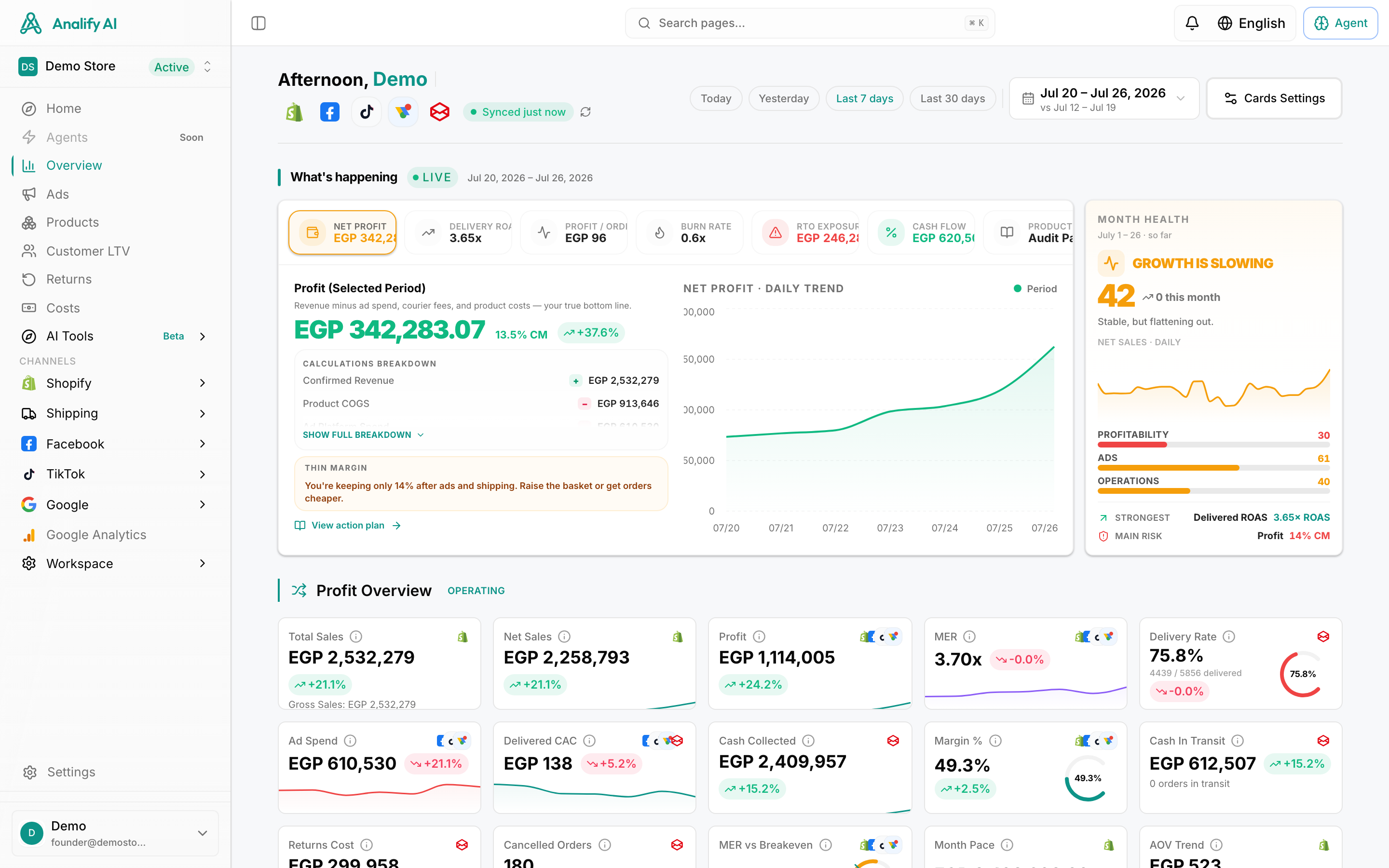
The 12 Top Automated Client Reporting Tools for Agencies
Alright, let's get to the main event. We've vetted the market to bring you our curated list of top automated reporting tools. While there are tons of great options out there, we're putting Analify at the top for a specific reason: it's built for performance-focused e-commerce and lead-gen agencies that need more than just pretty charts—they need results.
1. Analify
Best for: Performance-driven agencies that need fast, accurate client reporting and real-time business visibility across paid media and e-commerce.
Analify is an ad tech platform for reporting and automation, and is built for agencies managing multiple client accounts at scale. Instead of stitching together spreadsheets and disconnected dashboards, Analify centralizes all your performance, revenue, and e-commerce data into a single command center. The result is faster reporting, clearer insights, and better business decisions — without the manual workload.
Key Features (OCR + Business Dashboard Focus):