Learn the proven method for creating effective paid social media campaigns that drive e-commerce sales. Master platform selection, targeting, and optimization.
Creating effective paid social media campaigns is a strategic process that involves selecting the right platforms, defining clear sales objectives, precise audience targeting, and continuous optimization. It's about building a system that turns ad spend into predictable revenue for your e-commerce store, moving beyond vanity metrics to focus on profitable growth and a measurable return on investment (ROI).
Let's play a little game. Does this sound familiar?
You've poured your heart, soul, and a not-so-small pile of cash into your Facebook and Instagram ads. You've followed all the advice, watched the tutorials, and meticulously set up your campaigns. But when you check your Shopify dashboard, the sales just aren't matching the ad spend. We've all been there.
You're staring at a sea of confusing metrics in Ads Manager, wondering if the iOS updates broke everything and if you're basically just setting money on fire. We get it. The process of creating effective paid social media campaigns that actually drive profitable growth can feel like trying to solve a Rubik's Cube in the dark.
But here's the good news: it's not magic, it's a method. This guide is your flashlight. We're going to walk you through the exact, step-by-step process to turn your ad spend from a confusing expense into a reliable revenue engine for your e-commerce store.
What We'll Cover
- How to choose the right social platforms for your e-commerce brand (without the guesswork).
- A step-by-step process for setting up campaigns that are actually built to convert.
- How to solve the iOS 14.5+ attribution puzzle and truly track your ROI.
- Strategies for creating high-performing ad creatives without a huge budget.
- Bonus: How to use AI to automate the boring stuff and diagnose performance issues for you.
The Foundation: Why Paid Social is Your E-commerce Growth Engine
First things first, let's get on the same page. For e-commerce, paid social media isn't about getting likes or comments. It's about one thing: driving profitable sales. Every click, every view, and every dollar spent should be part of a system designed to move a potential customer from "just browsing" to "just bought."
The opportunity here is massive. Global ad spend on social media is projected to hit a staggering $276.7 billion by 2025. And for good reason. On average, advertisers see a return of $5.28 for every $1 spent on paid social. That's not just growth; that's a serious business multiplier.
Pro Tip: The secret to unlocking those returns isn't just running ads; it's running them with a full-funnel strategy. This means having dedicated campaigns for people who've never heard of you (top-of-funnel), people who've shown some interest (middle-of-funnel), and people who are close to buying (bottom-of-funnel). Brands that do this see a 34% higher ROAS on average. It's the difference between shouting into the void and having a real conversation that leads to a sale.
Step 1: Choose Your Platforms & Set Your Budget
Not all social platforms are created equal, especially for e-commerce. You need to be where your customers are actually hanging out. Here's a quick breakdown of the big three:
- Meta (Facebook & Instagram): This is the undisputed heavyweight for most e-commerce brands. With its massive user base and incredibly deep targeting options, it's the perfect place to start. It's a powerhouse for both finding new customers and reminding interested shoppers to come back and buy.
- TikTok: The home of viral trends and user-generated content (UGC). If your audience is younger and you can create authentic, engaging video content that doesn't feel like an ad, TikTok can be a goldmine. It's less about polish and more about fitting in.
- Pinterest: Think of this as a visual discovery engine. Users here are actively looking for inspiration and products to buy, which means they have high purchase intent. It's brilliant for visually appealing niches like home decor, fashion, food, and weddings.
Here's a simple comparison to help you decide:
Platform Audience Demographics Ad Format Strengths Performance Snapshot
Meta (FB/IG) Broad (Millennials, Gen X, Boomers) Carousels, Dynamic Product Ads, Polished Video Instagram ads see a 1.85% conversion rate vs. Facebook's 1.62%.
TikTok Younger (Gen Z, Millennials) User-Generated Content (UGC), Short-form Video Can deliver an average ROI of 11.8 for direct-response campaigns.
Pinterest Female-dominated, high household income Idea Pins, Shopping Ads, Static Images Users are in a "planning and buying" mindset.
Quick Tip on Budget: So, how much should you spend? A great way to start is to work backward from your goals. If your average order value (AOV) is $100 and your target cost per acquisition (CPA) is $25, you need to be willing to spend at least $25 to get one sale.
A safe daily starting budget is often 3-5x your target CPA. This gives the algorithm enough data to learn and find your customers. So, in our example, $75-$125 per day would be a solid start.
Step 2: Set Up Your Campaign for E-commerce Success
Alright, you've picked your platform and have a budget in mind. Now for the fun part: building the actual campaign. Inside Meta Ads Manager, you'll see a list of objectives. It's tempting to choose "Engagement" or "Traffic," but for e-commerce, you need to be ruthless.
Always, always, always choose the "Sales" objective (formerly "Conversions").
Trust us on this one. This tells Facebook's algorithm exactly what you want: people who are most likely to pull out their credit card and buy something. Choosing any other objective is like asking a taxi driver to just "drive around" instead of giving them a specific address. You'll burn fuel and end up nowhere.
Your campaign structure should mirror your customer journey:
- Top-of-Funnel (TOF) / Prospecting: This is where you find new customers. You'll target broad audiences based on interests, behaviors, and powerful lookalikes.
- Middle/Bottom-of-Funnel (MOF/BOF) / Retargeting: This is where you make the money. You'll target people who have already interacted with your brand (visited your site, added to cart, watched your videos). This is your warmest, most valuable audience. Pro Tip: Before you spend a single dollar, please make sure your tracking is set up correctly. This means installing the Meta Pixel on your Shopify store and, crucially, setting up the Conversions API (CAPI). CAPI, or Server-Side Tracking , sends data directly from your server to Meta's. This creates a much more reliable data connection that isn't as affected by ad blockers or iOS updates. Getting this right is non-negotiable for accurate reporting. If this sounds complicated, platforms like Analify include Server-Side Tracking to handle this for you and clean up your data.
Step 3: Nail Your Targeting & Ad Creative
This is where the real magic happens. You can have the best product in the world, but if you show it to the wrong people with a boring message, you'll just get crickets. The first step is a thorough audience analysis to ensure you're not just guessing who your customers are.
Targeting for E-commerce
Your targeting strategy should be layered. Here are the three core audiences every e-commerce store should be using, which you can define after completing the audience identification process:
- Interest/Behavior-Based Audiences (TOF): Target users based on what they're into. Before you can do this effectively, you need to build out a clear target market profile. Selling high-end coffee? Target people interested in James Hoffmann, competing coffee brands like Blue Bottle, and publications like Sprudge.
- Lookalike Audiences (TOF): This is your secret weapon for scaling. You can upload a list of your best customers (defined in your target audience template) and ask Meta to find millions of new people who share similar characteristics. It's one of the most effective ways to find high-quality new customers.
- Retargeting Audiences (MOF/BOF): This is the lowest-hanging fruit. Create audiences of people who have visited your website in the last 30 days, or even better, people who added a product to their cart but didn't finish checking out. A simple "Hey, you forgot this!" ad can work wonders here. The benefits of audience analysis are especially clear with retargeting, as you're speaking directly to users whose behaviors you've already tracked.
Creative That Actually Converts
Your ad creative is what stops the scroll. Today, a single, boring product photo on a white background just won't cut it.
- Platform-Native is Key: What works on Instagram (a polished carousel ad) might completely flop on TikTok, which favors authentic, low-fi UGC-style videos. In fact, studies show that video ads can drive 38% more conversions than static images.
- Beat Creative Fatigue: People get bored of seeing the same ad over and over. We call this "creative fatigue," and it's a real campaign killer. A good rule of thumb is to check your ad frequency. If it creeps above 2.5-3x in a 7-day period for a cold audience, it's definitely time for a refresh.
But who has time to constantly churn out new ads? This used to require a designer and a big budget. Now, AI can do the heavy lifting.
Tools like the AI Ad Generator from Analify can create dozens of high-quality image ad variations in seconds. It's a game-changer for testing new angles, headlines, and visuals without ever opening Photoshop, helping you stay ahead of creative fatigue.
Analify AI — free media buyer view
Stop guessing your profit.
Connect Shopify, Meta, TikTok and Bosta in 5 minutes.
Start free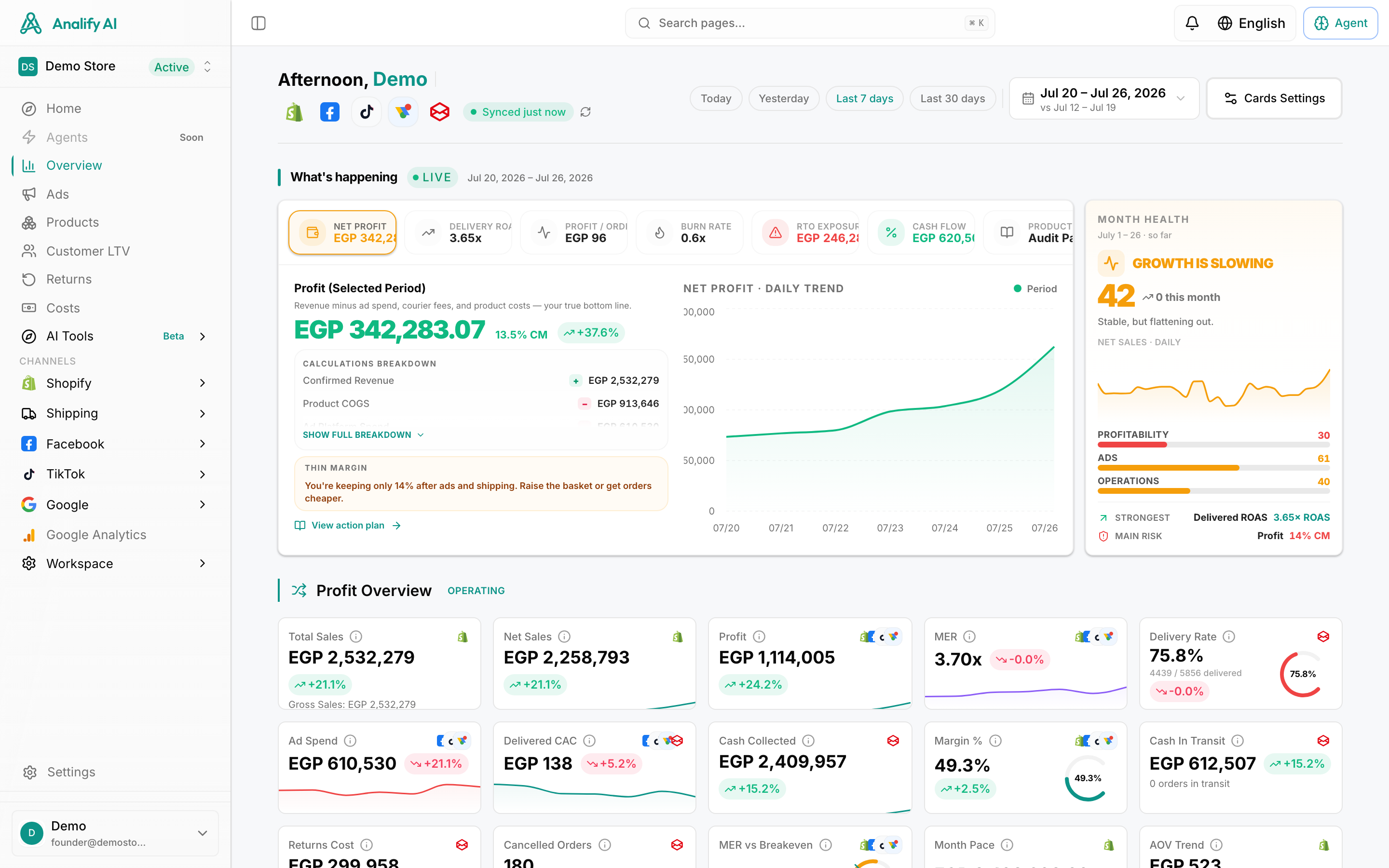
Step 4: Launch, Monitor, and Optimize Your Campaigns
You've launched your campaign. Congratulations! Now, take your hands off the keyboard. Seriously. For the first 24-72 hours, let the algorithm do its thing. It's in a "learning phase," and making knee-jerk changes will only reset the process and waste your money.
After a few days, it's time to start analyzing. But don't get lost in vanity metrics. For e-commerce, these are the only numbers that really matter:
- ROAS (Return on Ad Spend): For every $1 you put in, how many dollars came out?
- CPA (Cost Per Acquisition): How much does it cost you to get one sale?
- AOV (Average Order Value): How much does the average customer spend with you?
- Conversion Rate: What percentage of people who click your ad end up buying?
- Outbound CTR (Click-Through Rate): Is your ad interesting enough for people to actually click it?
Solving the iOS 14.5+ Attribution Puzzle
Here's the elephant in the room. Since the iOS 14.5 update, the ROAS you see in Facebook Ads Manager is often incomplete. It can't see all the conversions, which leads many advertisers to think their campaigns are failing when they're actually profitable.
The solution is to use Blended ROAS. This is your "true" return, calculated by looking at the big picture.
Formula: Total Store Revenue / Total Ad Spend = Blended ROAS
Manually calculating this every day across multiple platforms is a massive headache. This is where an integrated dashboard becomes your best friend. The Business Dashboard inside Analify automatically pulls data from Meta, Google, TikTok, and Shopify into one place. You can see your real-time blended ROAS and net profit in a single, unified view.