Stop wasting hours on manual work. Learn how to set up automatic reporting for your agency with our guide. Discover the best tools and save 8+ hours weekly.
It's 9 PM on a Sunday. Your friends are out, your family is asleep, and you're hunched over a laptop, drowning in a sea of spreadsheets.
The glow of the screen illuminates a familiar, soul-crushing task: manually compiling client reports. You're copy-pasting ROAS from Facebook Ads Manager, CTR from Google Ads, and spend from TikTok, praying you don't mix up the numbers for Client A and Client B (we've all been there).
Sound familiar? For many agency owners, this is a painful weekly ritual. Does spending nearly a full workday—an average of 8 hours a week—pulling data sound about right? That's time you're not spending on strategy, growth, or, you know, having a life.
But what if you could get that time back? That's where automatic reporting comes in. Think of it as your personal data assistant—software that automatically collects data from all your marketing platforms and pulls it into one clean, visual dashboard. It saves agencies an average of 8 hours per week, which is time you could be using to actually grow the business.
This guide isn't just another list of tools. We're giving you the agency playbook: how to implement an automatic reporting system, prove its value with a simple ROI calculation, and choose the right tool to finally break free from the spreadsheet grind.
What You'll Learn
- Why manual reporting is costing your agency more than just time
- How to implement an automatic reporting system in 5 simple steps
- A decision matrix to choose the right reporting tool for your agency's needs
- How to calculate the exact ROI of switching to automatic reporting
- Bonus: 5 best practices for creating automated reports that clients actually love
The Hidden Costs of Manual Reporting
We get it. As an agency, you have to show your work. But that manual reporting process isn't just a "cost of doing business"—it's a genuine business bottleneck that's costing you more than you think.
The Time Drain
That weekly reporting marathon adds up. Those 6 hours every week quickly become 24 hours a month. Over a year, you're losing over 180 hours to a task a machine could do in minutes.
Some studies even estimate this wasted time can cost an agency as much as $11,232 per year for a single report. What could you do with an extra 180 hours and $11k? Land new clients? Develop new strategies? Take a vacation?
The Accuracy Killer
Let's be honest, we're human. After the fifth spreadsheet, our eyes start to glaze over. That sinking feeling when you spot a copy-paste error after you've sent the report? It can happen to the best of us.
In fact, manual data entry has an error rate of anywhere from 0.55% to a staggering 4.0%. An automated system, on the other hand, slashes that error rate to a near-perfect 0.05%. Sending a client a report with a glaring error erodes trust faster than a bad campaign burns cash.
The Scalability Ceiling
Here's the real kicker: you can't scale your agency if you're chained to manual reporting. Every new client adds another few hours to your reporting workload. Soon, you hit a ceiling where you physically can't take on more business without hiring more people just to handle the reporting—a low-value, high-cost cycle.
Pro Tip: Calculate Your 'Manual Reporting Cost'
Want to see the real damage? Grab a calculator.
(Your Agency's Blended Hourly Rate) x (Hours Spent on Reports Weekly) x 52 = Your Annual Cost of Manual Reporting
That number is the budget you have to solve this problem.
What is Automatic Reporting & How Does It Work?
Automatic reporting is the process of using software to connect to various data sources (like Facebook Ads and Google Ads), collect marketing data, and consolidate it into visual dashboards or reports without manual effort. This saves time, reduces errors, and allows agencies to focus on strategy instead of data entry. It's a core component of any modern ad tech platform for reporting automation.
Here's how it breaks down:
- **Data Connection:**The software uses secure Application Programming Interfaces (APIs) to connect directly to all the platforms you use—Meta (Facebook & Instagram), Google Ads, TikTok, Shopify, you name it. This creates a live pipe for data to flow from the source.
- **Data Consolidation & Visualization:**Instead of you manually pulling numbers, the platform ingests all that raw data and automatically consolidates it. It then transforms the numbers into easy-to-understand charts, graphs, and tables in a central dashboard.
- **Streamlined Sharing:**And here's the best part. Instead of wrestling with attachments, you can just share a link to a live, interactive dashboard that clients can check anytime. Or, if they prefer, you can still download a slick-looking PDF with one click.
For example, platforms like Analify use secure API connections to pull real-time data from your clients' Meta, Google Ads, and TikTok accounts directly into a central, customizable dashboard. No more logging in and out of ten different platforms.
Analify AI — free media buyer view
Stop guessing your profit.
Connect Shopify, Meta, TikTok and Bosta in 5 minutes.
Start free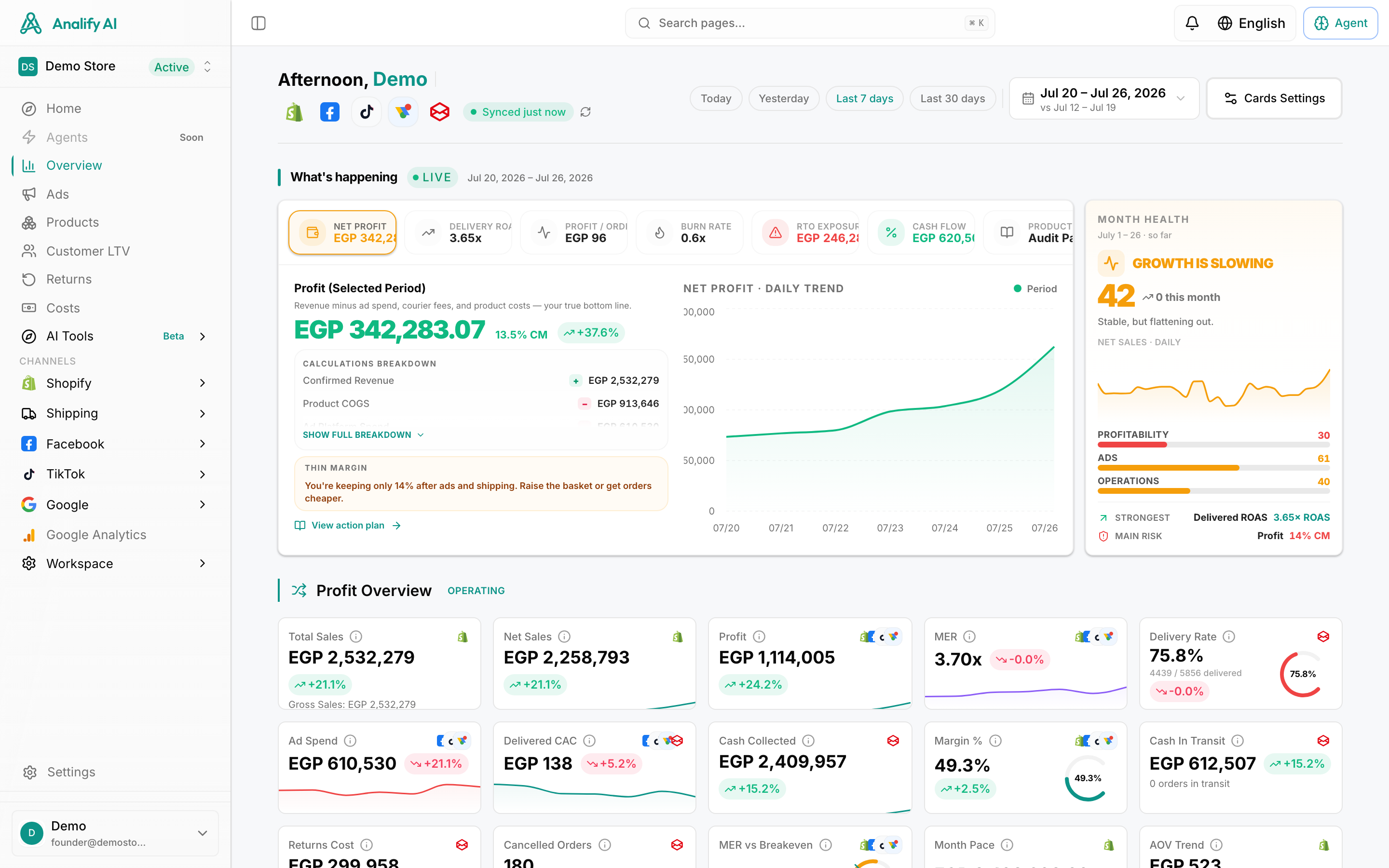
6 Game-Changing Benefits of Automatic Reporting
Switching from manual to automatic isn't just a minor upgrade; it's a fundamental shift in how your agency operates. Here are the benefits you can expect.
- **Reclaim Your Time (and Sanity):**This is the big one. You can transform those 6-hour reporting marathons into a 1-hour process of reviewing and adding insights. That's time you can reinvest into high-value strategic work for your clients.
- **Drastically Reduce Human Error:**Automation boasts up to a 90% reduction in data entry errors compared to manual processes. This means more accurate data, more confident decisions, and more trust from your clients.
- **Scale Your Agency Profitably:**By removing the reporting bottleneck, you can take on more clients without proportionally increasing your overhead. Your capacity for growth is no longer tied to how many spreadsheets your team can build.
- **Enhance Client Communication & Trust:**Professional reports that are always accurate and on time make your agency look like the well-oiled machine it is. It builds confidence and reinforces the value you provide.
- **Make Data-Driven Decisions Faster:**When all your data is in one place, you can finally see the whole picture. This is the core principle of AI-driven advertising for automatic reporting, where data isn't just collected, it's connected. You can spot trends, identify problems, and find opportunities in minutes, not hours. With a tool like Analify AI Chat, you can even ask questions like, "Why did our ROAS drop last week?" and get a quick, data-backed answer. It's like having a 24/7 data analyst for every client.
- **Prove Your ROI (to Clients and Yourself):**Clear, consistent reporting makes it easy to demonstrate the value you're delivering. And the ROI for your agency is undeniable. For every dollar companies invest in automation, they see an average return of $5.44. Better yet, 76% of companies see a return on their investment within the first year.
How to Implement Automatic Reporting in 5 Steps
Ready to make the switch? Here's a simple, five-step plan to get your agency's reporting streamlined.
Step 1: Audit Your Current Reporting Process
Before you automate, you need to know what you're working with. Document everything:
- What metrics are you pulling for each client?
- Which platforms are you getting them from? (Think ad accounts, analytics tools, and other marketing apps.)
- How long does it really take, from start to finish?
- What feedback have you gotten from clients on your current reports?
Step 2: Define Your Goals & KPIs
Don't just replicate your messy spreadsheet in a prettier format. Seriously, this is your chance to level up. Talk to your clients. Find out what they actually care about?
The CEO probably wants a high-level overview of MER and Net Profit, while the marketing manager needs to see campaign-level CPA and ROAS. Tailor your reporting templates to the stakeholder.
Step 3: Choose Your Tool (See Next Section)
This is the most critical step. Not all tools are created equal. You need to find one that fits your agency's specific needs, client base, and budget. We'll break this down in our decision matrix below.
Step 4: Connect Data Sources & Build Your Template
Once you've chosen your tool, it's time for the fun part—no, really! Connect your clients' ad accounts (Meta, Google, etc.) and your e-commerce platforms (like Shopify). Then, use the tool's drag-and-drop interface to build your first report template. Start with a summary, then add visualizations for key metrics.