Stop wasting hours on manual reports. Discover the best client reporting dashboard for your agency. We compare 12 tools, revealing hidden costs and setup times.
Ever feel like "client reporting" has sneakily become a full-time job you never even applied for?
One minute you're a savvy Meta Ads strategist, crafting brilliant campaigns. The next, you're lost in a sea of spreadsheets, trying to stitch together data from a dozen different sources. If you're nodding along, you know the struggle of building reports without a proper client reporting dashboard. Small agencies often spend a staggering 20-30 hours per month just wrestling with manual reports.
That’s not just lost time; it’s opportunity slipping through your fingers. It’s strategic time you could be using to optimize campaigns, dream up killer creative, or—let's be real—actually win new clients.
Manual reporting isn't just a time-suck. It's error-prone, inconsistent, and frankly, it doesn't exactly scream "we're a cutting-edge agency" to your clients.
But what if you could get all that time back? What if you could slash your reporting workload by a whopping 80%? Imagine turning hours of painful data-pulling into a task that takes less than 45 minutes. That’s the power of a great client reporting dashboard.
We built this guide specifically for Meta Ads agencies like yours. We're going to break down 9 popular reporting tools, helping you choose the right one to save time, build client trust, and get back to the work you actually love.
What You'll Learn
- How to choose the right reporting dashboard for your agency's size and budget.
- The 6 must-have features for any serious Meta Ads reporting tool.
- A side-by-side comparison of 9 top tools with fresh insights.
- Bonus: How to pair your dashboard with an AI intelligence layer to deliver game-changing insights, not just data.
What Is a Client Reporting Dashboard (and Why Your Agency Desperately Needs One)
Let's get on the same page. A client reporting dashboard is your agency's command center for client data. It’s a tool that automatically pulls all your marketing data—from Facebook Ads, Google Analytics, Shopify, you name it—and puts it all into one clean, visual, and easy-to-understand interface.
Instead of drowning in spreadsheets, you get a professional, always-up-to-date view of what's working (and what's not).
For Meta Ads agencies, this isn't a nice-to-have; it's a necessity for three huge reasons:
- Massive Time Savings: This is the big one. Automated tools can take a task that eats up 2.5-5 hours of your week and shrink it down to under 45 minutes. That's hours back in your pocket, every single week.
- Radical Transparency & Trust: Clients want to see where their money is going. A clear, professional dashboard does more than just show numbers; it builds unshakable confidence and proves you’re on top of their account.
- True Scalability: You can't scale your agency if your best people are bogged down with admin tasks. Automating reports frees up your team to focus on high-value work like strategy and optimization, allowing you to take on more clients without hiring more report-builders. Pro Tip: It's super helpful to know the difference between a live dashboard and a static report. A live dashboard is interactive and updates in real-time—perfect for your internal team to keep a pulse on things. A static report (like a PDF) is a snapshot in time, which is ideal for sending to clients with your expert analysis and commentary.
Analify AI — free media buyer view
Stop guessing your profit.
Connect Shopify, Meta, TikTok and Bosta in 5 minutes.
Start free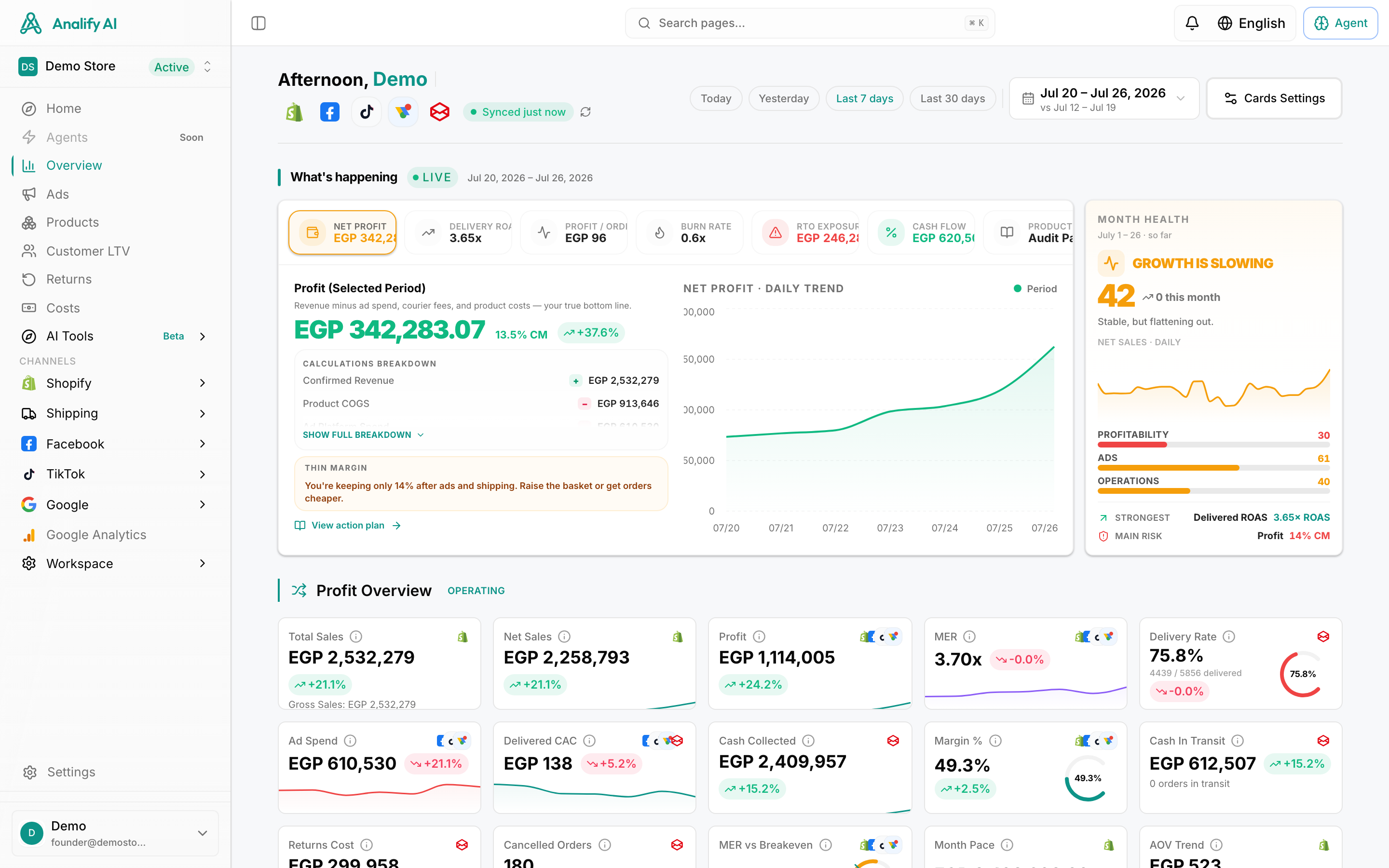
6 Must-Have Features for a Meta Ads Reporting Tool
Not all dashboards are created equal. When you're evaluating tools, make sure they check these six non-negotiable boxes for a modern Meta Ads agency.
- Native Meta Ads Integration: This sounds obvious, but you'd be surprised. The tool must have a deep, reliable, and API-based connection to Meta. If it can't pull in all your custom conversions, campaign names, and ad-level data accurately, it's a non-starter.
- White-Label Capabilities: Your clients hired your agency, not some software company. Your reports should feature your logo, your brand colors, and your voice. White-labeling is essential for looking professional and owning your client experience.
- Automated Scheduling & Delivery: The whole point is to set it and forget it, right? A great tool lets you automatically generate and email reports to your clients on a weekly or monthly basis, so you're not the bottleneck.
- Customizable KPI Tracking: Every client is different. One might be obsessed with ROAS, while another only cares about Cost per Lead. Your dashboard must let you build reports that track the specific KPIs that matter to each client's business goals.
- Multi-Channel Data Blending: Your Meta Ads don't exist in a vacuum. To show the true impact of your work, you need to blend data from other channels. Look for a tool that seamlessly integrates with Google Ads, GA4, Shopify, and Klaviyo to calculate blended metrics like Marketing Efficiency Ratio (MER).
- Transparent Pricing: Watch out for hidden fees! Some platforms charge extra for each data connector, for adding more users, or for going over a certain number of reports. Look for clear, straightforward pricing that scales with your agency, not against it. Pro Tip: Before you commit to any platform, use their free trial to connect your actual Meta Ads account. This is the only way to truly test the reliability of the data connection and see if it pulls all your custom events and metrics correctly. Don't skip this step!
The 9 Top Client Reporting Dashboards Compared
We've done the homework for you. Here’s our breakdown of the top reporting dashboards out there, designed to help you find the perfect fit for your agency.