
“Why did profit fall yesterday?”
Answered from live data and your Brain
AI Connections
Your Business Brain, live store, ads and shipping data, and approved actions — inside ChatGPT, Claude and other supported AI tools.
How ChatGPT and Claude connect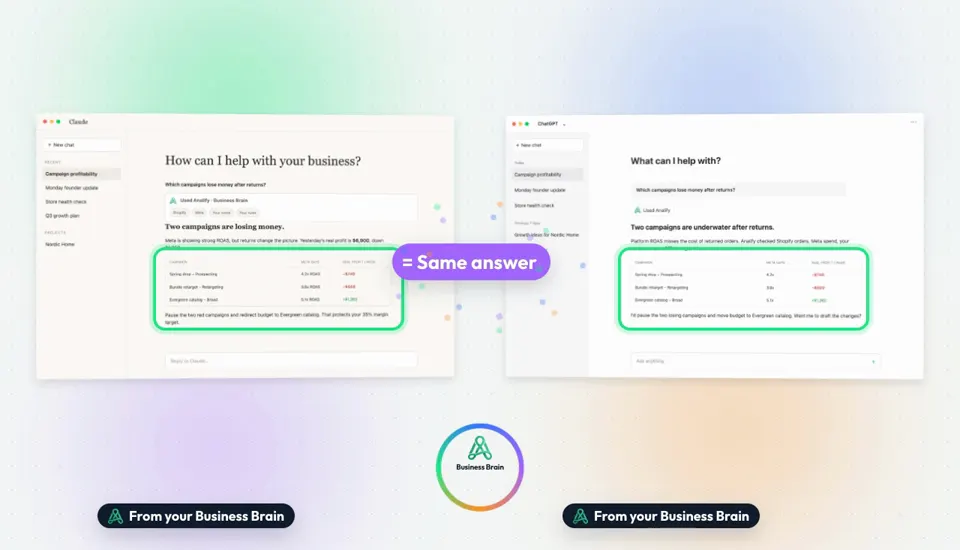
Illustrative data — sample store and numbers.
Works with the tools you already use

In one sentence
AI Connections connect ChatGPT, Claude and other supported AI tools to your whole ecommerce business through Analify. The AI you already like gets your Business Brain, live data from Shopify, ads and shipping, and the actions you allow — with the same permissions and approvals as inside Analify.
Connected to Analify
What was yesterday's real profit?
$6,900 after ads, shipping, product costs and returns.
Prepared in the chat
Illustrative data — sample store and numbers.
Without Analify
With Analify
Export a CSV, upload it, and hope it's still current
The AI reads live data from your store, ads and courier.
Explain your margins and rules again in each new chat
Your Business Brain comes with every conversation.
Every teammate's AI knows a different version of the business
Everyone's AI works from the same facts and permissions.
Revenue, ad spend, shipping cost and returns reach the AI straight from the source, through your Business Brain.
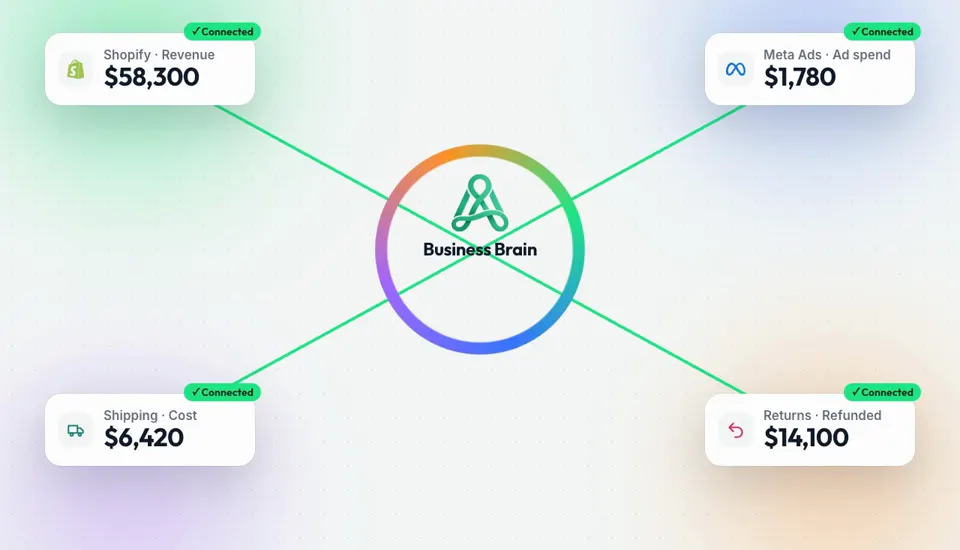
Illustrative data — sample store and numbers.
Ask Claude or ChatGPT which campaigns lose money after returns. Both work from the same Business Brain and the same numbers — the model writes the answer, Analify supplies the facts.
Illustrative data — sample store and numbers.
Claude Code, Cursor and other supported AI tools connect the same way. Permissions decide what each one can read and change.
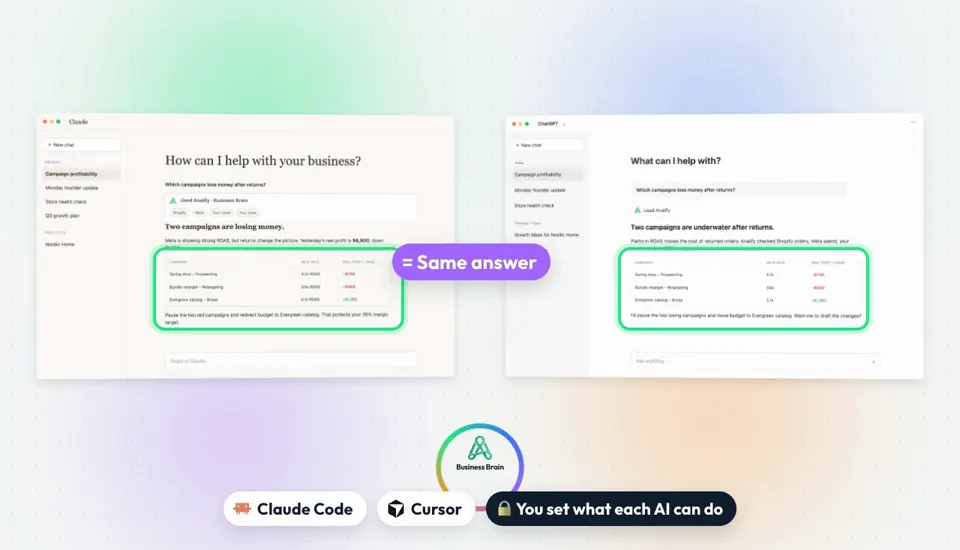
Illustrative data — sample store and numbers.
Four things change the moment you connect.
Your AI tools
ChatGPT connection
Work with your business from ChatGPT using Analify tools and context.
Claude connection
Give Claude the same approved business knowledge and tools.
Other supported AI tools
Claude Code, Cursor and other tools connect through the same link.
Which campaigns lose money after returns?
Two do: Spring drop (−$740/wk) and Bundle retarget (−$500/wk).
Shared Business Brain
Facts, goals, rules and history stay consistent across every AI.
Live platform data
The AI reads connected business systems when it needs them.
Answers you can check
Numbers come with their sources and calculations.
Actions from the chat
Supported actions
Let the AI prepare and use the business actions you allow.
Approval before change
Reading runs freely; changes to the business wait for your OK.
Prepared in the chat
Review the exact change right where you asked for it.
Claude · permissions
Permission controls
Limit what each user or tool can access and execute.
Knowledge capture
Review useful facts from AI conversations before they join the Brain.
Same rules everywhere
Your Business Brain rules apply in every connected AI.
Illustrative data — sample store and numbers.
Use one connection for the whole business, or focused ones per platform.
ChatGPT
Claude
Claude Code & Cursor
Global Analify MCP
Platform MCPs
Real changes always require approval and follow each user's permissions.
“Why did profit fall yesterday?”
Answered from live data and your Brain
“Which campaigns lose money after returns?”
The same facts in ChatGPT and Claude
“Pause these ad sets after I approve.”
Prepared in the chat, waits for you
“Draft the founder update from this week.”
Written from real numbers
“What's our margin target and spend limit?”
Read from your Business Brain
“Remember: never discount the linen range.”
Saved to the Brain after you review
Ask your AI about it
Approval before action
Connected AI can prepare changes; nothing changes until you approve.
Permissions per user and tool
Decide what each person and AI tool can read and do.
Every number has a source
Answers show where the data came from and how it was calculated.
You review what's saved
Knowledge from AI conversations joins the Brain only after you review it.
ChatGPT and Claude, plus other supported AI tools such as Claude Code and Cursor. They connect to Analify through MCP, using one connection for the whole business or focused connections per platform.
Native connectors and Projects are great for files and single tools. Analify adds the ecommerce layer: store, ads, shipping and returns joined with your product costs and rules in one Business Brain, the same facts for your whole team, and supported actions that follow your permissions and approvals.
Uploads work for a quick, one-off question. Files go stale, a rule in a prompt is only a request, and the context stays with one person. AI Connections give the AI your live data, your Business Brain and your permissions, so everyone gets the same current answer.
Only supported actions you allow, and only after approval. The AI can prepare a change such as pausing an ad set; it waits for your OK, and each user's permissions still apply.
One connection to the whole supported business: Business Brain context, cross-platform search, Shopify, Meta, TikTok, Bosta and Analify data, read tools, approved write actions and tool discovery. Platform MCPs give focused access to a single platform.
No. Keep your ChatGPT or Claude. Analify connects it to your business, and the same Business Brain works in every supported AI and inside Analify.
Useful knowledge from external AI conversations can be captured, and you review it before it's added to your Business Brain.
Connect your company, build its memory and start asking, deciding and approving from one place.
See pricing